

If you own a BitBox02, you need exactly one number for this article: 9.26.5. That is the firmware version the Swiss manufacturer released on August 17, 2026 under the name Dixence, and it closes three security vulnerabilities in the device. BitBox itself writes that there are no reports of stolen user funds and that existing seeds are not affected. Your recovery phrase therefore remains valid and your coins do not have to move anywhere. What you do have to do is update, and before that run a quick check on which of the three vulnerabilities affects your device at all.
This article goes through the three weaknesses one by one, explains which models and firmware levels come into question in each case, and shows the update path that does not run through a counterfeit app. At the end comes what you expressly do not have to do. The most common mistake after a security notice is the hasty reaction rather than the vulnerability itself.
What BitBox fixed with the Dixence firmware update 9.26.5
Dixence is a firmware update for the BitBox02 and BitBox02 Nova hardware wallets. Firmware means the software that sits permanently in the device and does the actual work: generating keys, signing transactions, driving the screen. It is to be distinguished from the BitBoxApp on your computer, which only provides the user interface.
According to the manufacturer, the update fixes three security problems. Two of them were closed for the first time with this version; the third had already been fixed in the July update named Oeschinen and has now been reclassified upwards after the fact. The details on the exact July version differ between the language versions of the manufacturer's notice: the English version names 9.26.2, the German one 9.26.3. In practice that is immaterial, because in either case only 9.26.5 covers all three points.
Important for context: according to BitBox's account, none of the three vulnerabilities ever led to a loss. The company writes that it has no reports of exploitation and that the wallet seed was at no point at risk. That is a statement by the manufacturer about its own devices and not an independent finding, but it is concrete enough to take at its word and to distinguish from an actual incident.
That is precisely where it differs from the case otherwise talked about this summer. In the Coldcard firmware flaw, which cryptoticker.io reported on July 31, 2026, seeds were genuinely affected and funds flowed out. Dixence concerns vulnerabilities that were found before they were exploited. Both are firmware notices, and both call for a response. The effort they demand of you, however, is a completely different matter.
Bootloader vulnerability: why BitBox raised the classification after the fact
The bootloader is the small program that runs first when the device is switched on and decides which firmware is started at all. It is thus the authority meant to check whether a firmware is genuine. That is exactly where the problem lay.
Affected are BitBox02 devices with firmware up to and including 9.26.1. According to the manufacturer, the BitBox02 Nova is not affected by this vulnerability. It was first found internally by the company's own team; later Jan Wütherich of SySS GmbH, a German provider of security testing, reported it as well.
The attack path is elaborate, and that belongs to an honest account. An attacker would first have to get you, through a phishing attack, to install a counterfeit version of the BitBoxApp. Only that manipulated app could then push a manipulated firmware onto a genuine device, and you would have to unlock the device while doing so. BitBox describes the capabilities required for this as high. If the chain does succeed, however, an attacker could steal coins. That is why the classification was corrected upwards once a viable exploitation path had emerged. The German manufacturer's version calls the severity "hoch", the English one "severe".
The practical lesson from it is older than this update: a hardware wallet protects your keys against a compromised computer, but it cannot protect you from installing the wrong software yourself. Anyone wanting to know how the various device classes solve this underlying problem will find the models set out side by side in the hardware wallet comparison.
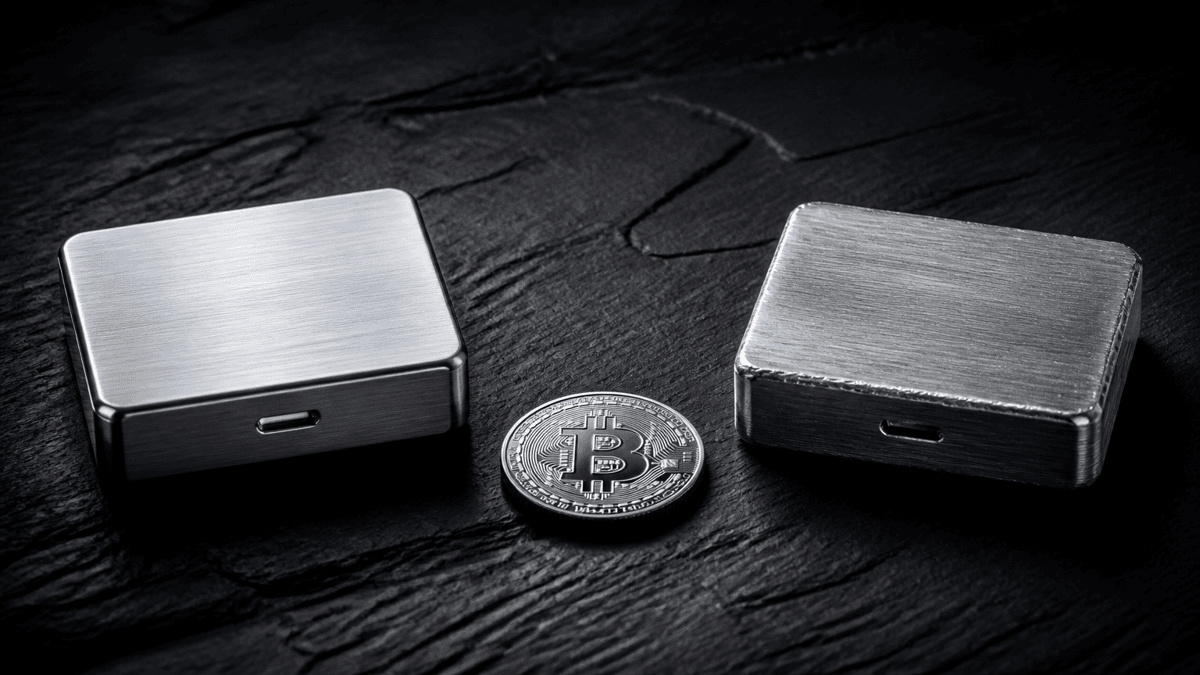 The bootloader vulnerability only becomes dangerous once someone slips you a counterfeit app: the device in your hand is genuine, the software in front of it is not.
Memory flaw in the Multi edition: who the second vulnerability hits
The second weakness is the only one where the exact version of your device matters. BitBox sells the BitBox02 in two variants: a Bitcoin-only edition that supports only bitcoin, and a Multi edition that manages further crypto assets as well. The memory flaw affects the Multi edition; the German manufacturer's version additionally names the Multi edition of the Nova. According to the manufacturer, the Bitcoin-only edition is not affected.
Affected are firmware levels up to and including 9.26.4, and the condition is narrow: the flaw only takes hold as long as no wallet has been set up on the device yet and it is attached to a manipulated host device. Under those circumstances the execution of arbitrary code would have been possible, in the worst case up to manipulated firmware and a loss of funds. The manufacturer classifies the problem as severe and states that it found it internally.
For most readers that is reassuring: anyone who set up their device months ago and has used it since does not fall into this window. The vulnerability is pressing for two groups. First, for everyone with an as yet unused device lying in a drawer who intends to connect it for the first time shortly. Second, for everyone who bought a device second hand or outside official retail and resets it before setting it up. In both cases the same order applies, and it is the actual instruction of this section: first bring the firmware to 9.26.5, then create the wallet.
Silent Payments explained: how coins can get stuck at an unintended address
Silent Payments is a procedure that lets you publish a single fixed receiving address from which the sender derives a separate address for each individual payment. To outsiders, the individual payments can therefore no longer be assigned to the same person. The procedure solves a real problem, because a publicly reused address makes your entire payment traffic traceable.
The vulnerability affects BitBox02 and BitBox02 Nova with firmware between 9.21.0 and 9.26.4. A manipulated host device could have altered a Silent Payments transaction so that the coins are bound to an unintended payment address. BitBox classifies this as potentially severe while drawing a clear boundary: direct theft was not possible by this route.
The difference is important enough for a sentence of its own. In a theft the coins are with the attacker. Here they would have ended up at an address over which neither you nor the attacker can dispose alone; recovery would have required both sides to cooperate. The manufacturer names an extortion attempt as a conceivable motive. In practice that means the money would not be gone, but it would be stuck.
BitBox supports its assessment that the vulnerability was never exploited with a comprehensible indication: there have been no reports from users of failed Silent Payments. An attack of this kind would have been noticed immediately by the recipient, because the expected payment does not arrive.
Are you affected? Checking firmware version and edition in three steps
The check takes less than a minute and answers both questions at once, the firmware version and the edition.
Open the BitBoxApp and connect the device. The app shows the connected device as soon as you have unlocked it. Switch to the device settings. The installed firmware version is shown there. Anything below 9.26.5 falls into at least one of the windows described above. Read off the edition. In the same place the app shows whether this is the Bitcoin-only or the Multi edition. Only the Multi edition is affected by the memory flaw.From that follows a simple mapping. Firmware 9.26.5 or newer: nothing to do, all three points are covered. Firmware between 9.21.0 and 9.26.4: Silent Payments is open, and on the Multi edition the memory flaw as well, provided the device is still unconfigured. Firmware 9.26.1 or older: the bootloader vulnerability on top of that.
Firmware update to 9.26.5: how it works without catching a counterfeit app
The update path is unspectacular, and the most important part of it is the source. Because the most serious of the three vulnerabilities runs through a counterfeit BitBoxApp, the place where you download the app matters more for security than the update itself.
BitBox expressly recommends triggering the update from the app already installed: via the update banner or the version number directly in the app. That way you bypass every search engine and every advertisement through which a counterfeit version could find its way to you. Anyone downloading the app afresh should do so exclusively via the official website. In addition, the signature of the app itself can be verified to make sure that app and firmware really do come from the manufacturer.
The sequence after that: bring the app up to date, connect the device, install the new firmware in the device settings under device management. On mobile devices the app may update itself in the background; you then still have to pull in the firmware by hand. Alongside the security fixes, Dixence also brings a bug fix for swaps under iOS and iPadOS as well as several smaller improvements in handling sensitive data, in cryptographic operations, in the validation of inputs and in protection against unexpected device states.
One note on the software at the other end: the BitBoxApp is the manufacturer's user interface and not the only way to manage a balance. Which programmes can connect to hardware devices and how they differ is set out in the software wallet comparison. For the update itself, though, the official route remains the right one.
 With the Silent Payments vulnerability, coins would not have flowed away but would have been immobilised: visible, attributable, yet unreachable without the matching key.
Seed, balance and recovery: what you expressly do not have to do
After a security notice the reflex to redo everything at once sets in quickly. That is exactly where the mistakes happen that really do cost money. Hence the counter-list.
You do not have to generate a new seed. BitBox expressly states that existing wallet seeds are not affected by any of the three vulnerabilities. That is the central difference from the Coldcard case, where seed generation itself was faulty and a move to a new seed therefore became unavoidable.
You do not have to send your coins back to an exchange. Moving a balance temporarily to someone else's account because your own wallet needs an update swaps a controlled risk for a larger one.
You do not have to enter your recovery words anywhere. No firmware update ever demands that the seed be entered on a computer or a website. Every prompt of this kind is an attack, no matter how convincing the page looks. If you do want to check your recovery at some point, that belongs on a second device and not on the computer you otherwise work on.
You do not have to replace the device. All affected models receive the corrected firmware; there is no hardware defect that would make a replacement necessary.
Hardware wallet security: what a reported update says about a manufacturer
It is tempting to infer an insecure product from three vulnerabilities in one update. That calculation does not add up, and the reason for it is structural.
Every hardware wallet contains software, and every piece of software worth the name contains errors. The difference between manufacturers lies not in whether errors occur but in whether they are found, named and fixed before anyone exploits them. A manufacturer that describes three weaknesses individually, names the affected version ranges and corrects the classification of an already fixed vulnerability upwards after the fact, because an exploitation path has emerged, is doing exactly what is to be expected of it. The silent alternative would be the worse news.
One detail from the security process is remarkable. BitBox describes the review as the most extensive of its own code base to date and states that it also drew on external audits using AI models. According to the company, the external reviewers found no critical weaknesses in the process; the three points now fixed go predominantly back to its own team. A single pass is not enough to judge how robust machine-assisted code review is in this field. As an observation of how review practice is currently changing, it is nonetheless worth recording.
What follows from this for the choice of device we covered in detail after the Coldcard case: which hardware wallet still comes into question after the Coldcard lesson. The short version: update practice and disclosure behaviour belong in the purchase decision, and earlier than the price.
Security updates in everyday use: how to hear about the next case sooner
The course of this week repeats itself with every manufacturer. A notice appears, it is picked up by the trade press, and a portion of owners hear about it weeks later or not at all. Three habits shorten that path.
Subscribe to the manufacturer's channel directly
The manufacturer's blog or newsletter is the source everyone else copies from. Reading it directly saves the delay and gives you the version numbers in the form in which they are meant.
Check the firmware version on a fixed date
Once a quarter is enough for most holdings. The date matters more than the interval, because it decouples the check from the news cycle.
Keep your own device list in writing
Anyone owning several devices loses track of which one is on which level. Model, edition, purchase date and last installed firmware on a single sheet will do. If you keep an overview of your holdings anyway, for the tax return say, you can carry the device column there as well; suitable programmes are set out in the comparison of tax and portfolio tools.
Checking the BitBox firmware update: what to take away
Read off the firmware version and update to 9.26.5. Open the BitBoxApp, connect the device and read the version in the device settings. Anything below 9.26.5 needs updating, and via the update banner in the app already installed. If the occasion has you wondering whether your device is still the right one, the hardware wallet comparison helps with the assessment. Update unused devices first, then set them up. The memory flaw in the Multi edition takes hold exclusively before the wallet is set up. Anyone putting a device into service new or second hand therefore reverses the order: firmware first, then seed. Which software you then use for day-to-day management is shown by the software wallet comparison. Leave the seed untouched and document the process. There is no reason to generate recovery words afresh or to enter them anywhere. Note the date and the new firmware version in your device list instead. It is the same documentation discipline that carries over to holdings and transactions, for instance with the programmes from the tax and portfolio tool comparison.The manufacturer's notice on the update is publicly available: BitBox 08.2026 Dixence update. An independent assessment of the two newly closed vulnerabilities can be found at Atlas21.
(As of August 21, 2026. This article is not investment advice. Prices and fee structures change; check the terms with the provider before you buy.)





 Bengali (Bangladesh) ·
  English (United States) ·